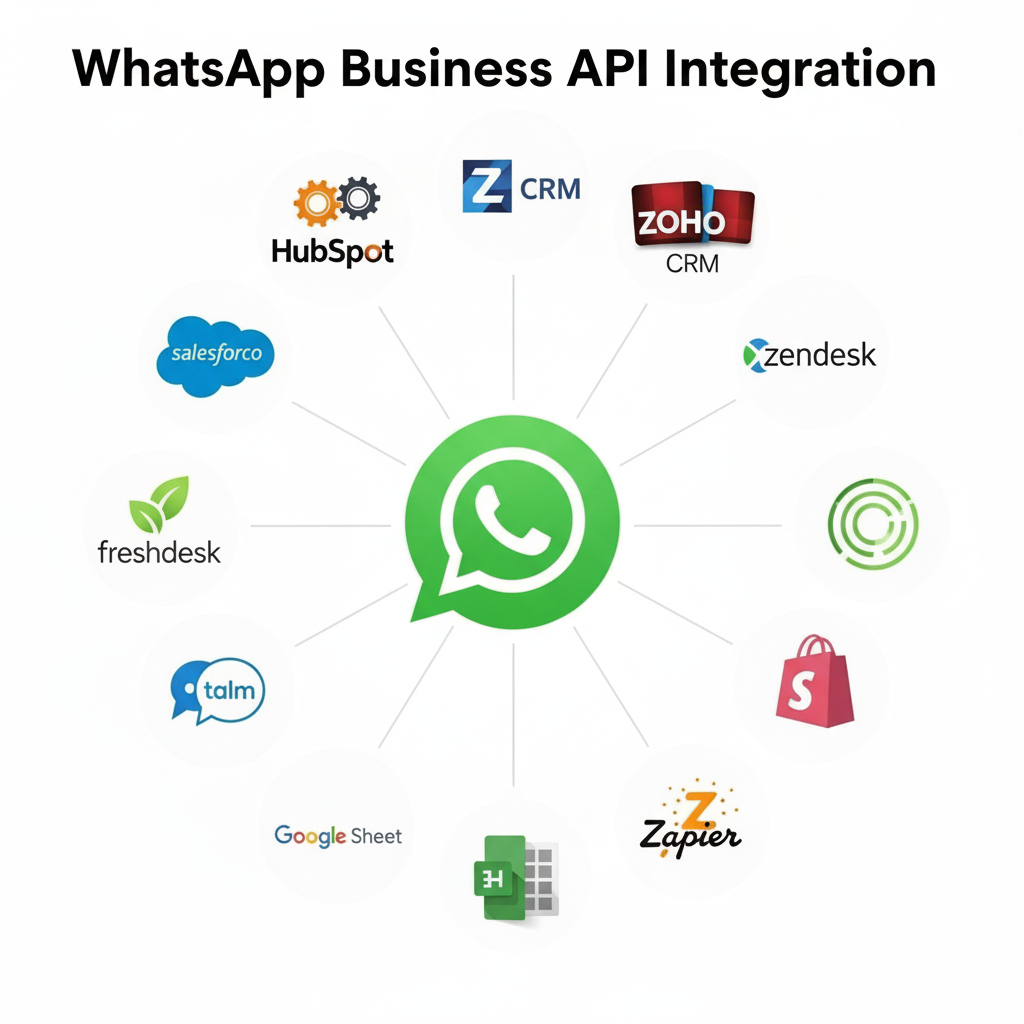
What is WhatsApp Business API Integration?
WhatsApp Business API Integration is the process of connecting your existing business systems—including CRM platforms (Salesforce, HubSpot, Zoho), e-commerce stores (Shopify, WooCommerce, Magento), ERP systems, helpdesk tools (Zendesk, Freshdesk), and custom applications—directly with WhatsApp's official Business API infrastructure. This integration enables seamless, automated, bi-directional communication at enterprise scale, allowing you to send notifications, receive messages, create chatbots, and manage conversations programmatically.
🚀 Why WhatsApp Business API Integration is Essential in 2025
With over 2.78 billion active users globally and 487 million users in India alone (source: Statista 2024), WhatsApp has become the primary communication channel for businesses. The WhatsApp Business API integration allows you to tap into this massive user base with automated, personalized messaging that drives 98% open rates and 45-60% response rates—significantly higher than email's 20% open rate.
⚡
99.9% Uptime SLA
Enterprise-grade infrastructure with guaranteed reliability and failover protection
🛠️
24/7 Technical Support
Dedicated integration engineers and solutions architects available round-the-clock
🆓
14-Day Free Trial
Full-feature access with 1,000 free messages to test complete integration capabilities
🛡️
SOC 2 & ISO 27001 Certified
Enterprise-grade security with end-to-end encryption and GDPR compliance
🎯 Why Choose 2Factor as Your WhatsApp API Provider?
- 40% Lower Costs - Transparent pricing with no hidden fees
- 24/7 Expert Support - Dedicated technical assistance
- Quick Integration - Average setup time of 2-3 days
- Advanced Analytics - Detailed insights and reporting
Key Benefits of WhatsApp Business API Integration
📈
Enhanced Customer Engagement (98% Open Rate)
WhatsApp boasts a 98% message open rate and 45-60% response rate—far exceeding email's 20% open rate and 2-5% response rate (source: Campaign Monitor). Our integration ensures you reach customers on their preferred platform with personalized, timely messages that drive action.
📊
Real-Time Analytics & Reporting Dashboard
Monitor message delivery status, read receipts, response times, customer engagement metrics, template performance, and ROI tracking with our comprehensive analytics dashboard. Export reports in CSV, PDF, or integrate with Google Analytics and Data Studio for advanced business intelligence.
🤖
Automated Workflows & AI Chatbots
Build sophisticated automation workflows with webhook-triggered events, conditional logic, and AI-powered chatbots. Automate order confirmations, shipping updates, appointment reminders, payment notifications, and customer support responses. Reduce response time from hours to seconds while maintaining personalized communication.
💰
60% Cost Reduction vs Traditional Channels
Businesses using WhatsApp Business API integration report 60% lower customer support costs compared to phone support, 40% reduction in SMS expenses, and 3x ROI on marketing campaigns. Automate repetitive queries, reduce call center load, and improve agent productivity with integrated CRM data.
📊 WhatsApp Business API Integration: By the Numbers
- 98% Open Rate - Messages are read within 3 minutes on average
- 45-60% Response Rate - 10x higher than email campaigns
- 60% Cost Savings - Compared to traditional support channels
- 3-5x Higher Conversion - For abandoned cart recovery campaigns
- 24-Hour Setup - From API access to live messaging
- 99.9% Uptime SLA - Enterprise-grade reliability guaranteed
WhatsApp Business API Integration Features & Capabilities
Core Integration Capabilities
Our comprehensive WhatsApp Business API integration supports all official message types and features as documented in Meta's Cloud API documentation. Integrate these capabilities directly into your applications using RESTful APIs, webhooks, and SDKs.
💬
Text Message Integration
Send and receive text messages with rich formatting (bold, italic, strikethrough), emojis, links, and mentions. Support for messages up to 4,096 characters. Integrate with your CRM for automated responses and conversation tracking.
📎
Media Message Integration (Images, Videos, Documents)
Share images (JPEG, PNG up to 5MB), videos (MP4, 3GP up to 16MB), documents (PDF, DOC, XLS up to 100MB), and audio files seamlessly from your systems. Auto-compress media for optimal delivery. Also explore our WhatsApp voice calling API for enhanced communication.
🎯
Interactive Message Integration (Buttons & Lists)
Create interactive messages with up to 3 call-to-action buttons, reply buttons, or list menus with up to 10 sections. Perfect for order tracking, support queries, product selection, and customer feedback collection.
📋
Template Message Integration
Pre-approved message templates for marketing, utility, and authentication purposes. Support for variables, media headers, quick reply buttons, and call-to-action buttons. Template approval typically takes 24-48 hours.
📢
Bulk Messaging Integration
Send messages to thousands of customers simultaneously through your systems with rate limiting (80 messages/second for verified businesses). Includes delivery tracking, failed message retry, and campaign analytics.
🔔
Webhook Integration (Real-time Events)
Receive real-time webhook notifications for message delivery, read receipts, customer replies, template approvals, and account status changes. Integrate with your backend systems for automated workflow triggering.
Advanced Integration Features
🛒
Product Catalog Integration
Showcase your products directly in WhatsApp with rich product catalogs, pricing, and descriptions through seamless API integration.
💳
Payment Gateway Integration
Accept payments directly through WhatsApp using secure payment gateways and digital wallets with our API integration.
🎯
Customer Segmentation Integration
Target specific customer groups with personalized messages based on behavior and preferences using integrated analytics.
WhatsApp Business API Integration with Platforms
You can integrate WhatsApp Business API with popular platforms such as:
WhatsApp Business API Integration Pricing - Transparent & Affordable
Starter Plan
₹999
Perfect for small businesses
- Up to 1,000 messages/month
- Basic templates
- Email support
- 14-day free trial
Start Trial
Advance Plan
₹1,499
For growing businesses
- Up to 10,000 messages/month
- Advanced templates
- Priority support
- Analytics dashboard
- Webhook integration
Get Started
Enterprise Plan
Custom
For large organizations
- Unlimited messages
- Custom templates
- 24/7 phone support
- Advanced analytics
- Dedicated account manager
- SLA guarantee
Contact Us
💡 Cost Comparison with Competitors
Our pricing is up to 40% lower than major competitors while offering superior features and support.
WhatsApp API Pricing
Real Success Stories
E-commerce Industry Increases Sales by 35%
"After implementing WhatsApp Business API integration, our customer engagement increased by 200% and sales grew by 35% in just 3 months. The automated order notifications and customer support features have been game-changers for our business."
- E-commerce Industry Leader
Food & Restaurant Industry Reduces Support Tickets by 60%
"WhatsApp integration helped us automate order confirmations, delivery updates, and customer inquiries. We reduced support tickets by 60% and improved customer satisfaction scores significantly."
- Restaurant Industry Expert
Healthcare Industry Improves Patient Communication
"Our clinic uses WhatsApp API for appointment reminders, prescription updates, and health tips. Patient no-show rates decreased by 45% and patient satisfaction improved dramatically."
- Healthcare Industry Professional
Industry-Specific Use Cases
🎓 Ed-tech
- Course enrollment confirmations
- Assignment reminders and deadlines
- Live class notifications
- Student progress updates
Read Ed-tech Case Study →
WhatsApp Business API Integration - Frequently Asked Questions
Get answers to the most common questions about WhatsApp Business API integration, setup process, technical requirements, and implementation best practices.
What is WhatsApp Business API Integration and how does it work?
WhatsApp Business API Integration is the process of connecting WhatsApp's messaging platform with your business systems (CRM, e-commerce, helpdesk, etc.) using RESTful APIs and webhooks. It works by:
- Sending Messages: Your system makes API calls to send messages to customers via WhatsApp
- Receiving Messages: WhatsApp sends incoming messages to your webhook URL in real-time
- Authentication: API requests are authenticated using access tokens from Meta
- Message Templates: Pre-approved templates ensure compliance with WhatsApp's policies
The integration enables bi-directional communication, automated workflows, and scales from 10 to 10 million messages per day. Learn more in our step-by-step integration guide.
What is the difference between WhatsApp Business API and WhatsApp Business App?
WhatsApp Business API (for medium-large enterprises):
- Unlimited messages per day with rate limiting (80 msg/sec)
- Multiple users can access same account simultaneously
- Full API access for system integration and automation
- Advanced features: webhooks, chatbots, bulk messaging, analytics
- Requires official BSP partner (like 2Factor)
- Pricing: Pay per conversation (₹0.25-₹0.60 per conversation)
WhatsApp Business App (for small businesses):
- Limited to 256 broadcast contacts
- Single device access only
- No API or automation capabilities
- Basic features: quick replies, labels, catalog
- Free to download and use
For businesses sending 1,000+ messages/month or requiring CRM integration, the WhatsApp Business API is essential.
How long does WhatsApp Business API integration take?
Integration timeline depends on complexity:
- Basic Integration (1-2 days): Simple API connection for sending/receiving messages, basic webhook setup
- Standard Integration (3-5 days): CRM integration (Salesforce, HubSpot, Zoho), template creation, webhook automation
- Advanced Integration (1-2 weeks): Custom chatbot development, multi-system integration, complex workflows, AI/ML features
- Enterprise Integration (2-4 weeks): Multiple CRM/ERP integrations, custom reporting, advanced analytics, dedicated infrastructure
Account approval from Meta typically takes 1-3 business days. Our team provides end-to-end support to accelerate integration. Book a call with our integration experts to get started.
What are WhatsApp message templates and why are they required?
WhatsApp message templates are pre-approved message formats required for sending proactive messages (messages initiated by your business when customer hasn't contacted you in 24 hours). Templates must be submitted to Meta for approval before use.
Types of Templates:
- Marketing Templates: Promotional offers, new product launches, special discounts (limited frequency)
- Utility Templates: Order updates, shipping notifications, appointment reminders, account alerts
- Authentication Templates: OTP codes, password resets, verification messages
Template Components:
- Header: Optional text, media (image/video/document), or variable
- Body: Main message text with variables (e.g., {{1}} for customer name)
- Footer: Optional additional information
- Buttons: Up to 3 buttons (call-to-action, quick reply, or URL)
Template approval takes 24-48 hours. Once approved, templates are valid indefinitely. Our team helps you create compliant templates that get approved faster.
How do I integrate WhatsApp Business API with my CRM (Salesforce, HubSpot, Zoho)?
CRM integration connects WhatsApp conversations directly to your customer database. Here's the process:
Integration Steps:
- Configure webhook URL in your WhatsApp API dashboard
- Set up API credentials in your CRM platform
- Map WhatsApp fields to CRM fields (phone number, name, tags, etc.)
- Create automation rules (new conversation → create CRM contact)
- Test bidirectional sync (CRM → WhatsApp and WhatsApp → CRM)
Popular CRM Integrations:
- Salesforce: Native integration via Salesforce Service Cloud, real-time conversation sync
- HubSpot: Integration via HubSpot's WhatsApp connector or custom API
- Zoho CRM: Zoho Flow integration or custom webhook setup
- Pipedrive: API integration with automated deal updates
- Freshdesk/Zendesk: Ticket creation from WhatsApp conversations
We provide pre-built integrations for 20+ CRM platforms and custom integration services. Our technical team handles the complete setup for you. Contact our integration team for assistance.
Is WhatsApp Business API integration secure and GDPR compliant?
Yes, WhatsApp Business API integration maintains the highest security and compliance standards:
Security Features:
- End-to-End Encryption: All messages are encrypted between sender and recipient
- TLS/SSL Encryption: API calls and webhooks use HTTPS with TLS 1.2+
- Token-Based Authentication: Secure API access using OAuth 2.0 tokens
- Webhook Signature Verification: Prevents webhook spoofing attacks
- IP Whitelisting: Restrict API access to authorized servers only
Compliance Certifications:
- GDPR Compliant: Data protection and user privacy controls
- SOC 2 Type II: Independent audit of security controls
- ISO 27001 Certified: Information security management system
- CCPA Compliant: California Consumer Privacy Act adherence
- HIPAA Ready: Healthcare data protection (enterprise plans)
Your customer data is stored securely with AES-256 encryption at rest. You maintain full control over data retention and deletion. Learn more about our security practices.
What are WhatsApp API rate limits and how do they work?
WhatsApp enforces rate limits to ensure platform stability and prevent spam:
Messaging Tier System:
- Tier 1 (New Accounts): 1,000 unique recipients per 24 hours
- Tier 2 (After 7 days): 10,000 unique recipients per 24 hours
- Tier 3 (Good quality score): 100,000 unique recipients per 24 hours
- Unlimited Tier: No limit for established accounts with excellent quality
Messaging Speed Limits:
- Standard accounts: 80 messages per second
- Verified businesses: Up to 200 messages per second
- Enterprise accounts: Custom rate limits available
Quality Rating Impact:
Your messaging quality rating (High, Medium, Low) affects tier progression. Maintain high quality by:
- Getting opt-in consent before messaging
- Sending relevant, valuable messages
- Responding to customer messages promptly
- Avoiding spam and promotional overload
Our platform automatically handles rate limiting with intelligent queuing and retry logic.
What is the cost of WhatsApp Business API integration?
WhatsApp Business API pricing consists of two components:
1. Platform/Integration Fees (2Factor):
- Starter Plan: ₹999/month (up to 1,000 messages)
- Growth Plan: ₹1,499/month (up to 10,000 messages)
- Enterprise Plan: Custom pricing for high-volume needs
- Free 14-day trial with 1,000 complimentary messages
2. Meta Conversation Charges:
- Marketing conversations: ₹0.60 per conversation (India)
- Utility conversations: ₹0.35 per conversation
- Authentication conversations: ₹0.25 per conversation
- Service conversations: FREE (customer-initiated, within 24hr)
Additional Costs:
- Green Tick Verification: ₹5,000 one-time (optional)
- Custom integrations: ₹10,000-₹50,000 (one-time)
- Dedicated support: ₹5,000/month (optional)
2Factor offers 40% lower platform fees compared to competitors. Get detailed pricing for your use case: View complete pricing breakdown.
What happens if I exceed my message limit?
We offer flexible scaling options to handle message volume fluctuations:
- Automatic Alerts: Get notified at 80% and 95% usage thresholds
- Instant Upgrades: Upgrade your plan instantly from dashboard
- Pay-As-You-Go: ₹0.50 per additional message (no service interruption)
- Carry Forward: Unused messages roll over to next month (annual plans)
- Volume Discounts: Custom pricing for 50,000+ messages/month
Your messaging never stops—we automatically handle overage with transparent billing. Check our detailed WhatsApp API pricing for more information.
Do I need technical knowledge to integrate WhatsApp Business API?
Not necessarily! We offer solutions for all technical skill levels:
No-Code Integration:
- Pre-built integrations for Shopify, WooCommerce, WordPress
- Drag-and-drop chatbot builder
- Visual workflow automation (Zapier, Make.com compatible)
- Template library with ready-to-use messages
Low-Code Integration:
- Copy-paste code snippets for common use cases
- CRM plugins with simple configuration
- Webhook setup wizard with step-by-step guidance
Full API Access:
- Comprehensive REST API documentation
- SDKs for PHP, Python, Node.js, Java, .NET
- Code examples and sample applications
- Developer sandbox for testing
Our technical team provides free integration support and can handle the complete setup for you. Book a demo to discuss your requirements.